
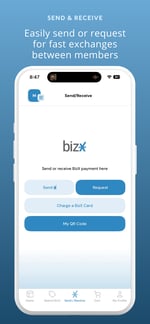
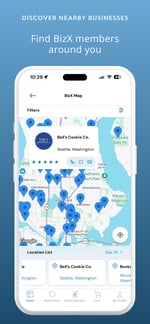
The BizX Mobile App puts the power of your BizX account in your pocket.
It is designed to make spending BizX faster and easier while you are on the go. Whether you are looking for a business, completing a transaction, or checking your account details, the app helps you do it in just a few taps.
Download it today and take BizX with you wherever you go.
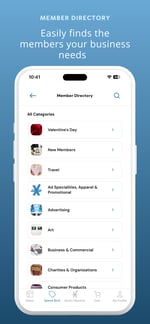
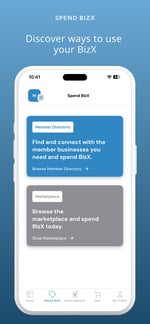
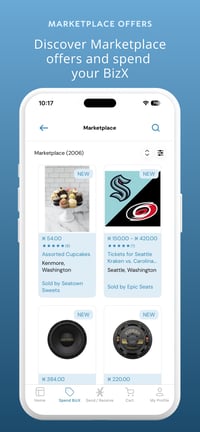
Manage Your Marketplace Presence
Your visibility in BizX search results is driven by the information connected to your business, including categories, industry selections, keywords, and the details within your active offers and listings.
While you can view and search for businesses (including your own) in the mobile app, profile and listing updates must be completed on the web portal.
If you are reviewing your business in the app and need to make changes, simply log in to www.my.bizx.com and navigate to the My Business menu. From there, you can:
- Edit your My Business Profile, including categories, keywords, contact details, and other visibility settings
- Review and update your Directory Listings
- Manage your Marketplace Offers
Optimizing your business profile and listings directly impacts how and where you appear in BizX search results. Keeping this information up to date ensures members can easily find and connect with you.
Account Basics
From quick balance checks to tracking payables and receivables, the BizX app keeps your account details at your fingertips. Review transactions, pull statements, and manage your profile with ease; all in one streamlined mobile experience.
Frequently Asked Questions
01What is the BizX Mobile App?
The BizX Mobile App puts the power of your BizX account in your pocket. It’s designed to make spending, sending, and managing BizX faster and easier while you’re on the go.
02How do I download and log in?
The app is available on the Apple App Store and Google Play. Search “BizX” and download the official app. Log in using the same email and password you use for your BizX account.
03What can I do in the app?
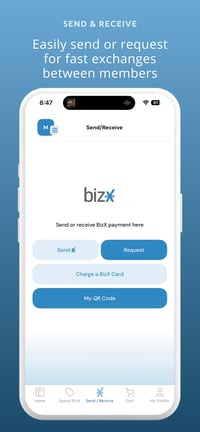
You can: Search for businesses, send and request BizX, charge a BizX card, present your QR code to get paid, and view your balance and transaction history. Our app focuses on the tools members use most often in real time.
04Can I manage my business profile in the app?
You can view your business in the app, but profile updates, listings, and offer management are handled in the web portal at my.bizx.com. Keeping your profile updated on the web ensures you appear correctly in app search results.
05Are all BizX features available in the app?
The mobile app includes the most-used, on-the-go features. Advanced tools such as recurring payments, autopay settings, accounting functions, and listing creation remain available on the web portal. More features will continue to roll out.
06Need further help?
If you need assistance or want to share feedback, contact us using the link at the bottom of this webpage. We’re actively improving the BizX mobile experience and value your input.