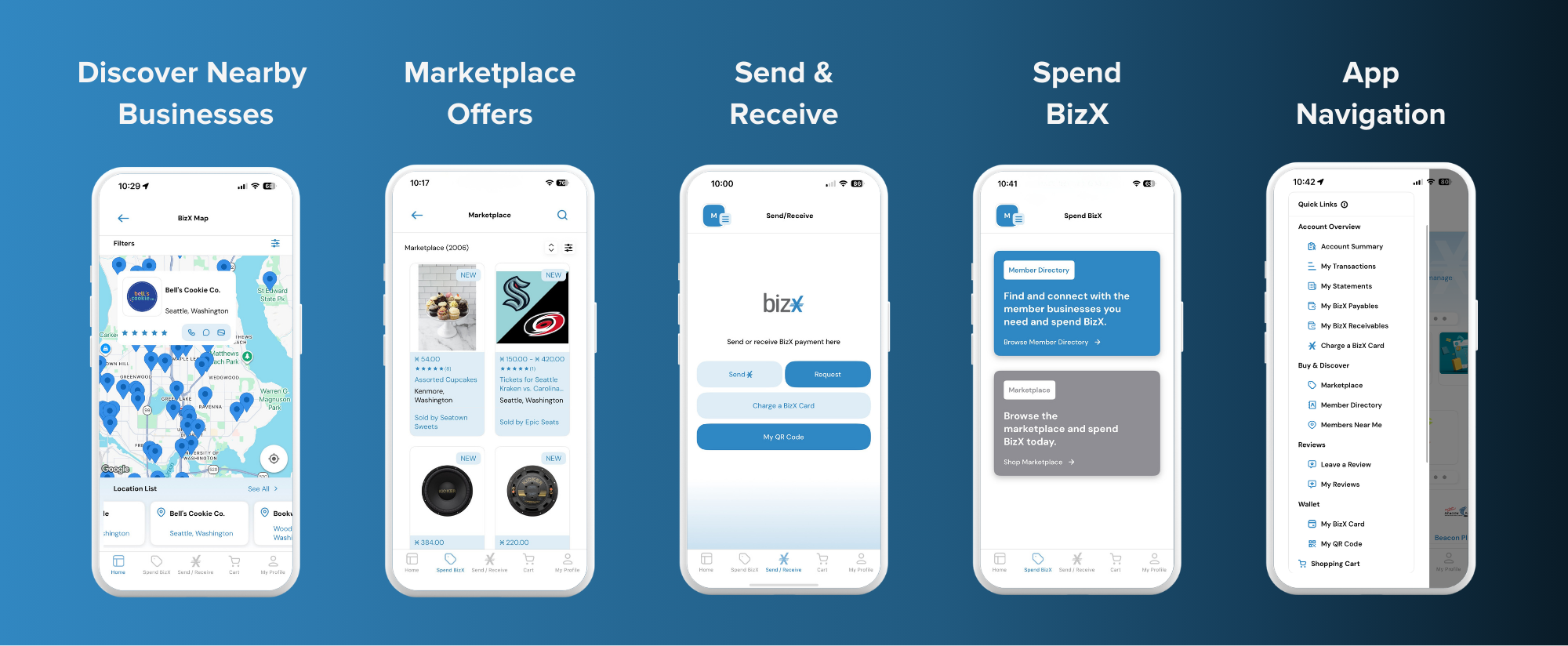
Introducing The New BizX Mobile App!
What can I do on the BizX App?
The app focuses on the features members use most often: buying, paying, and finding others.
Pay and Get Paid
Move BizX with confidence — wherever business happens.
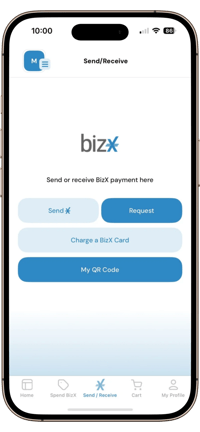
Complete transactions in seconds directly from your phone. Whether you’re sending BizX, requesting payment, or charging a BizX card, the app makes it fast and frictionless.
-
Send BizX - Transfer BizX to another member by searching their company name, account number, email, or scanning a QR code.
-
Request BizX - Send a payment request with a note, due date, and invoice attachment — all in a few taps.
-
Charge a BizX Card - Process BizX payments instantly, perfect for point-of-sale environments and real-time deals.
Transactions are streamlined so you can close business on the spot.
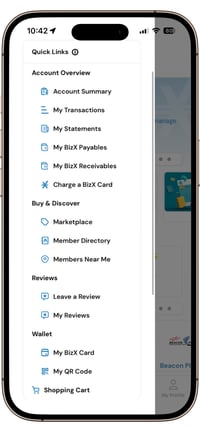
Account Overview
Your BizX account — simplified.
Stay on top of your activity with instant access to the details that matter most.
-
Account Summary - View your current balance and recent activity at a glance.
-
My Transactions - Review completed payments and incoming BizX in real time.
-
My Statements - Access account statements directly from your phone.
-
My Payables - Monitor outgoing BizX obligations.
-
My Receivables - Track incoming payments and outstanding requests.
Everything you need to stay informed — without logging into a desktop.
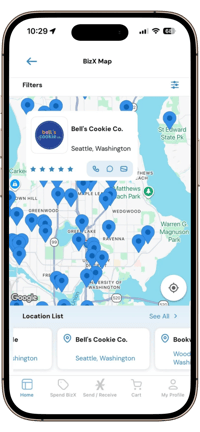
Members Near Me
BizX is closer than you think.
Use the interactive map to discover participating members around your current location. Perfect for networking events, meetings, and local business discovery.
Tap a business to view details, connect, and transact in real time.
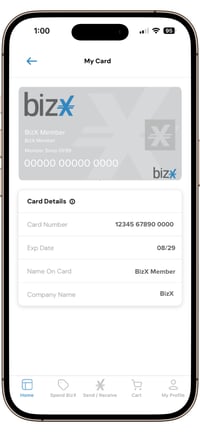
BizX Card
Your digital BizX card — always with you.
Access your BizX card directly in the app whenever you need it.
Use it to complete transactions or charge payments with speed and accuracy.
No physical card required.
Reviews
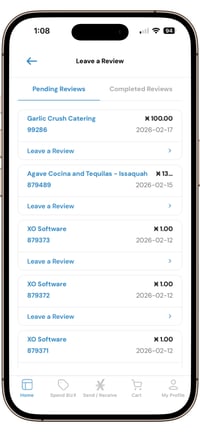
Build trust and strengthen the BizX community through feedback.
-
Leave a Review - Share your experience after completing a transaction. Help other members make informed decisions.
-
My Reviews - View reviews left for your business and monitor your reputation within the BizX network.
Buy and Discover
Explore opportunities across the BizX network.
The app makes discovering businesses, services, and products easier than ever.
-
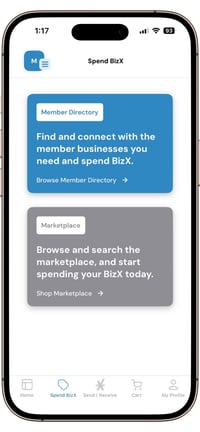
Marketplace - Browse thousands of available items and active offers.
-
Member Directory - Search for businesses by category or keyword and connect instantly.
Find what you need — when you need it.
Directory Vs. Marketplace
Understanding the Difference
The BizX Marketplace includes two ways to connect and transact — Directory Listings and Buy It Now Offers. Each serves a different purpose.
Directory
Find the Business. Start the Conversation.
Directory listings help you discover businesses within the BizX network who then you can connect with spend BizX dollars with.
Directory listings are ideal for:
- Service-based businesses (Dental, pest-control, media)
- Custom quotes
- Ongoing partnerships (advertising, sponsorships)
- Projects that require discussion
Think of the Directory as your networking and discovery tool.
Marketplace
Spend BizX Instantly.
Buy It Now offers allow you to place an order with another member immediately through the app. Once the member has confirmed, you will be notified.
Buy It Now is ideal for:
- Products
- Fixed-price services
- Event tickets
- Time-sensitive offers
Think of Buy It Now as your instant checkout experience.
Why It Matters
Directory listings help you connect.
Buy It Now offers let you transact immediately.
Both are designed to make doing business through BizX easier — just in different ways.
What is not available on the app yet?
The BizX mobile app is launching with the features members use most often on the go. Some advanced tools are not available in the app yet, and they remain fully accessible on the web portal at my.bizx.com.
These include:
- Certain Accounting functions such as recurring payments, managing autopay settings, and IRS reporting
- Seller marketplace functions such as creating and managing listings
- Account features including linked accounts, My Favorites, and company settings
Manage Your Marketplace Presence
Your visibility in BizX search results is driven by the information connected to your business, including categories, industry selections, keywords, and the details within your active offers and listings.
While you can view and search for businesses (including your own) in the mobile app, profile and listing updates must be completed on the web portal.
If you are reviewing your business in the app and need to make changes, simply log in to www.my.bizx.com and navigate to the My Business menu. From there, you can:
- Edit your My Business Profile, including categories, keywords, contact details, and other visibility settings
- Review and update your Directory Listings
- Manage your Marketplace Offers
Optimizing your business profile and listings directly impacts how and where you appear in BizX search results. Keeping this information up to date ensures members can easily find and connect with you.
This is just the beginning. Additional features will continue to roll out as we expand the BizX app experience. All functions not available on the app yet are still available at my.bizx.com
Stay tuned because the best is yet to come!
How do I get the BizX App?
The BizX app is available for both iOS and Android. Use the same email and password you use for your BizX account to log in.


We'd Love To Hear From You